From photo to nutrition data in seconds
No manual search, no weighing food, no guessing. Here's exactly what happens when you scan a meal.
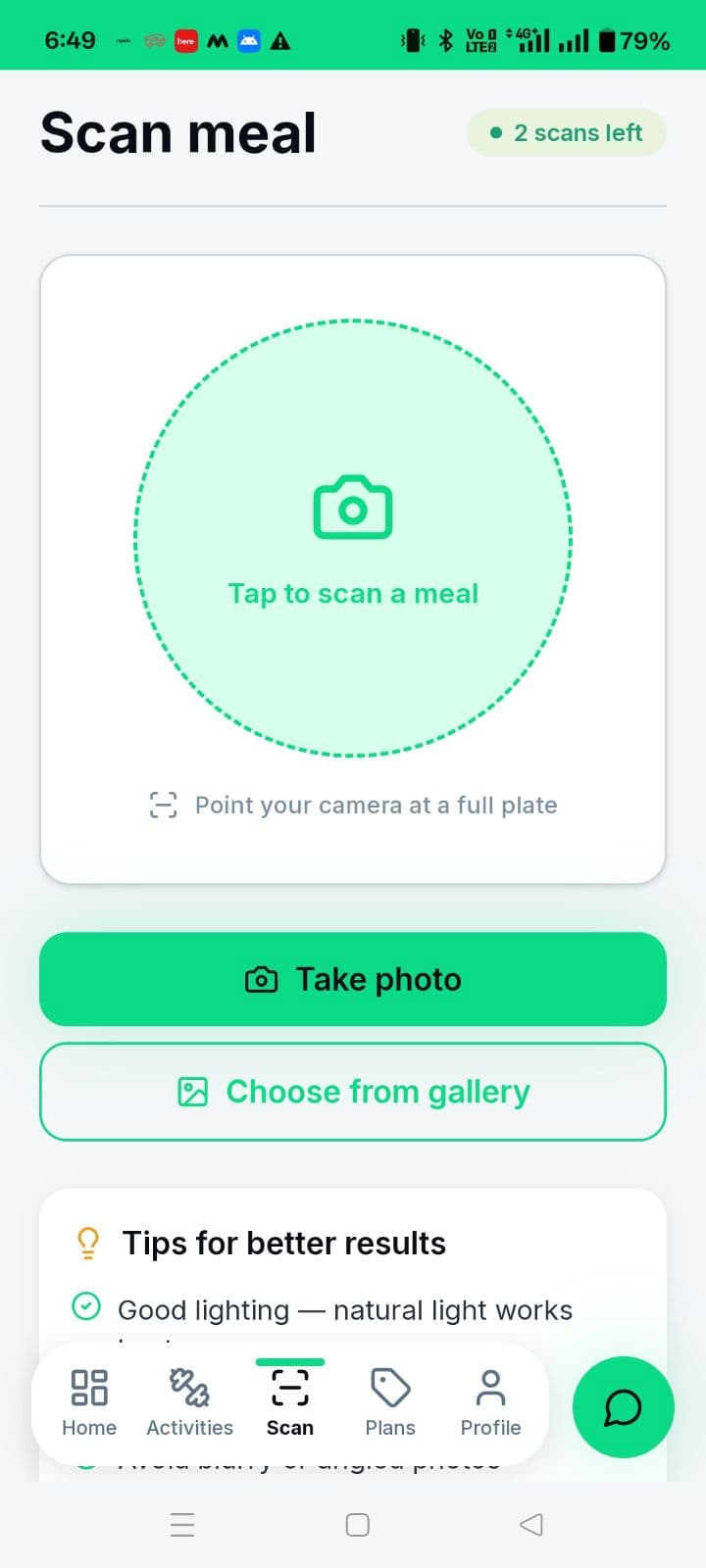
1. Snap a photo
Open FitbasixAI and take a photo of your meal — no need to plate it a special way or use a specific angle. It works with home-cooked thalis, restaurant dishes, and packaged food.
2. AI identifies your meal
Vision AI analyzes the photo to identify the dish (or dishes, for a mixed plate) and estimates the portion size from what's visible in the frame.
3. Review an editable result
Within seconds you get calories, protein, carbs, and fat for that meal. If something looks off — a bigger portion, an extra roti — you can edit the result before saving it.
4. It rolls into your daily tracking
Once saved, the meal is added to your daily calorie and macro totals on your dashboard, so you always know where you stand against your goals.
A note on accuracy
AI-estimated nutrition is a fast, consistent way to track meals day-to-day — not a lab-grade measurement. Portion size, hidden oil, and preparation style can shift the true number, which is why every result is editable before you save it. For most goals, consistent tracking beats occasional precision.
Try it on your next meal
Download FitbasixAI and see how fast meal tracking can actually be.